
PublicInput Meetings
Bring your entire meeting process together.
Build agendas, run public meetings, and prepare minutes for every board and committee your local government supports, all in one connected system. Keep your community informed and make it easier for residents to find meeting information and participate.
How it works
Run every meeting your way from start to finish
PublicInput Meetings gives you complete control over how you prepare, run, and document public meetings, whether your Public Meetings are fully in-person, fully remote, or anything in between.
- 1. Auto-filled agenda items
Upload the staff report to help build the agenda. Anything missing automatically gets flagged, so no one on your team is having to retype captions or chase files.
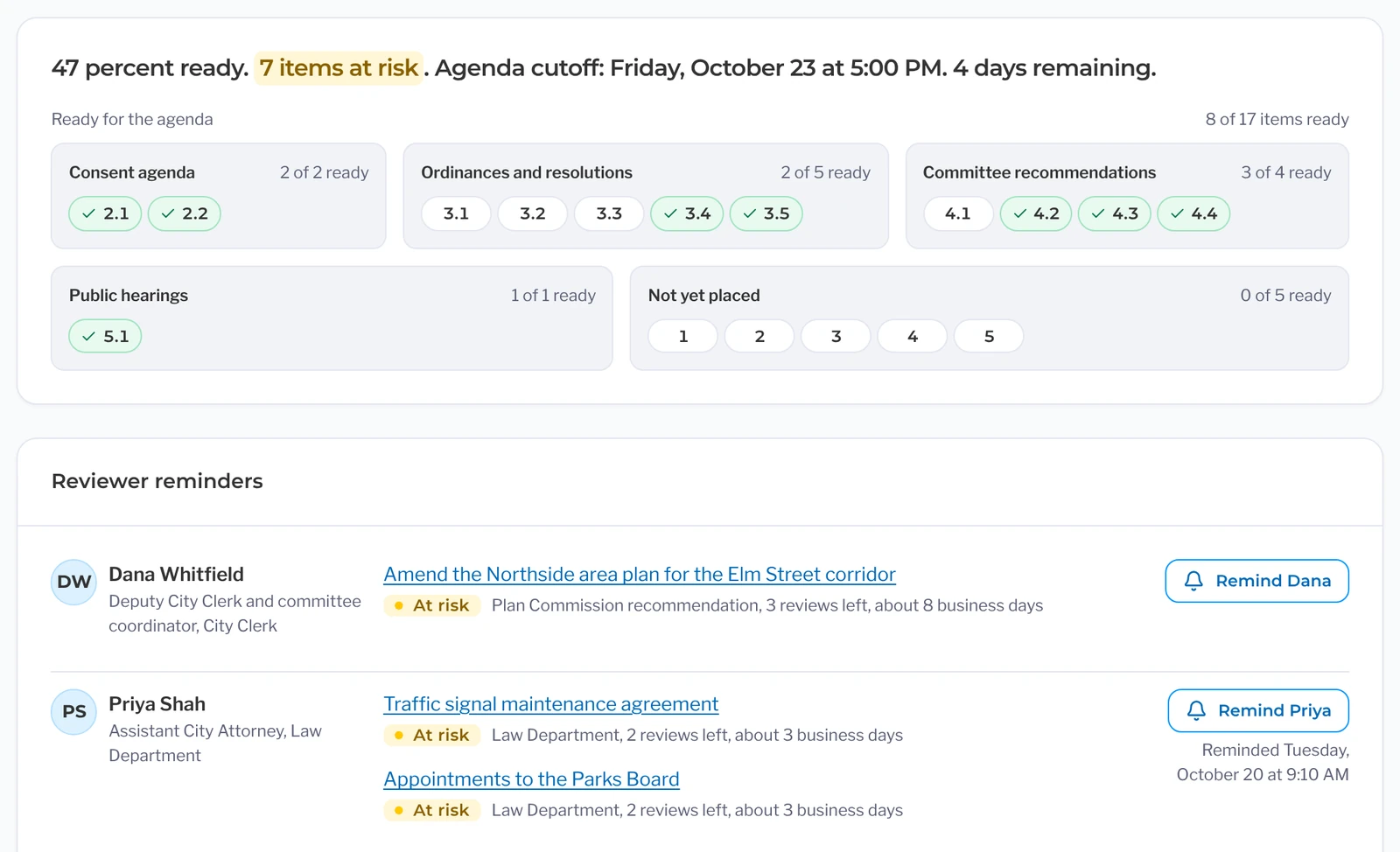
- 2. Deadline tracking
See which items are on track for the posting deadline and which ones are not. Send a reminder right from the item, and if a review stalls, it can move up to the department head.
- 3. Instant Agenda Posting
Publish the packet, page numbers, and the public agenda page with one button. Add supplementals later if needed. Residents can easily follow the topic, leave a comment, or sign up to speak on the item.
- 4. Hybrid speaker management
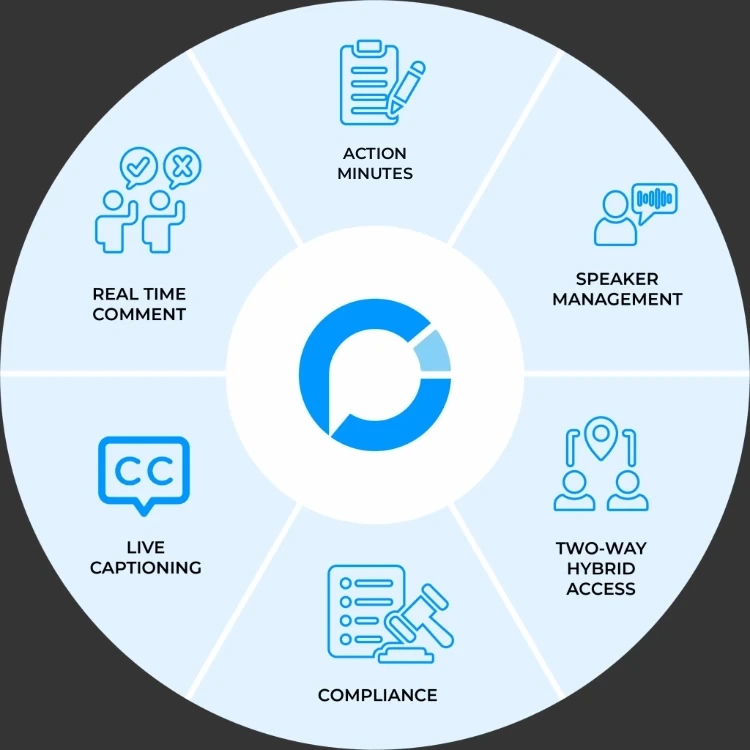
Run speakers in the room and on Zoom from one list, with motions and votes on the same screen. Live captions help everyone follow along, and the timer ends each turn so you’re not the one cutting people off (timer included in Advanced).
- 5. Action Minutes
Capture each motion, second, vote and roll call from the meeting audio as it happens. The speaker list will go straight into the draft, so all you need to do is review and approve.
Flexible approach
A meeting platform that fits how you work
Every clerk’s office runs meetings its own way. PublicInput Meetings adapts to your process, your boards and your community, so your team doesn’t have to start over.
PublicInput Meetings has:
- Been serving government agencies since 2014
- 26% less time spent preparing for and processing meetings
- Provide real-time interpretation across 130+ languages
What’s Included In
PublicInput Meetings
Live Meetings
Give clerks and staff a clear view of meeting activity as they happen in the room or on Zoom.
- Allow residents to register to speak on specific agenda items they care about
- Manage speaker sign-ups, track who has spoken, and organize speaking order
- Simplify meeting minutes preparation by carrying speaker information into the meeting record
Agendas
Prepare agendas and meeting packets for online publication so residents can easily find the information they need before the meeting.
- Build agendas with reusable templates to simplify preparation for new or recurring meetings
- Packet with page numbers and accessible attachments for easy navigation
- Publish approved minutes online so residents can review meeting decisions
Boards and Commissions
Keep board operations running smoothly in one place.
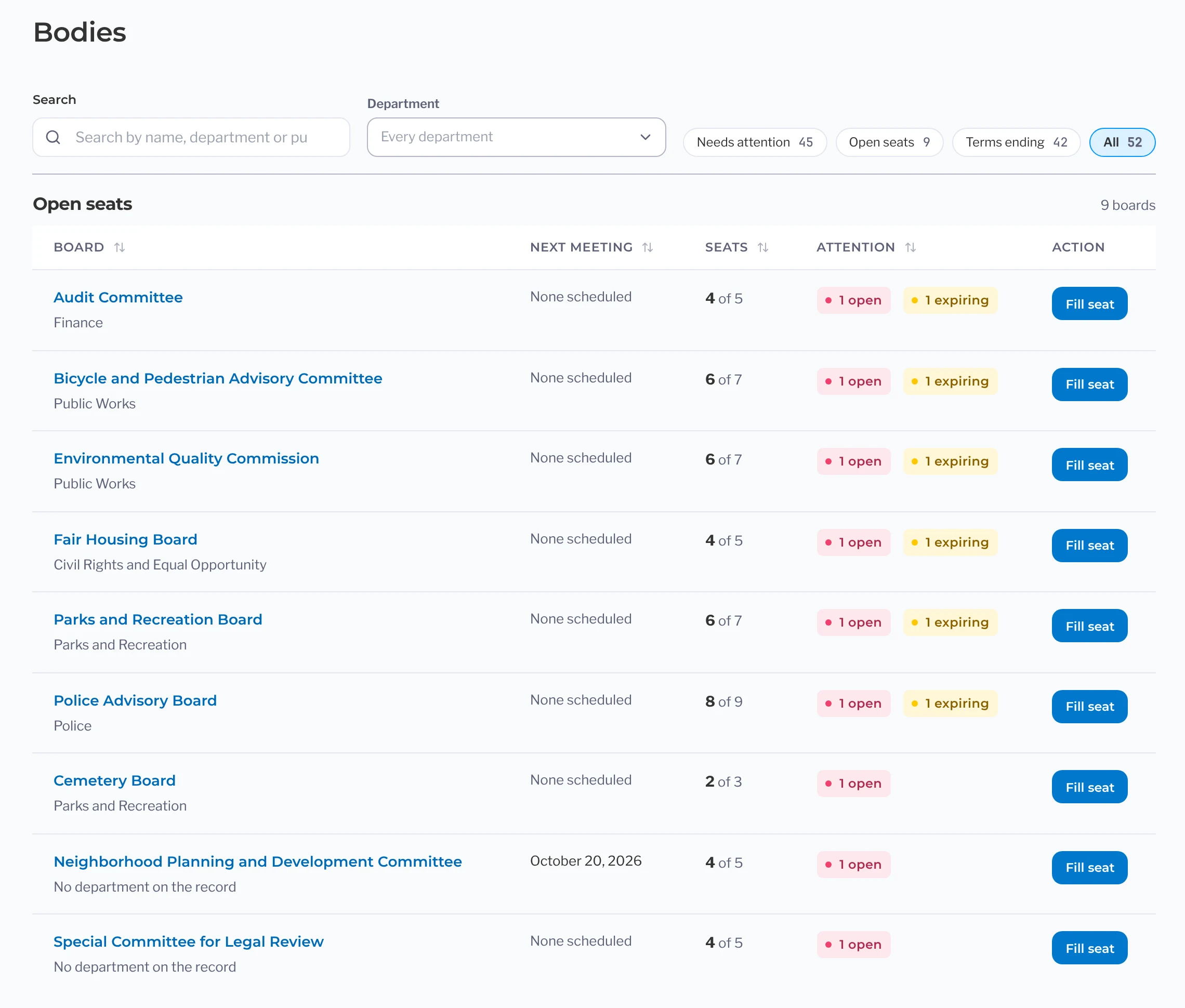
- Manage every board, committee, and TAC calendar to see what’s coming up and help plan ahead
- Track appointments, terms, and vacancies to keep board membership up to date
- Keep agendas and minutes accessible so staff can find past records and pick up where things left off
Customized Integrated Add-ons
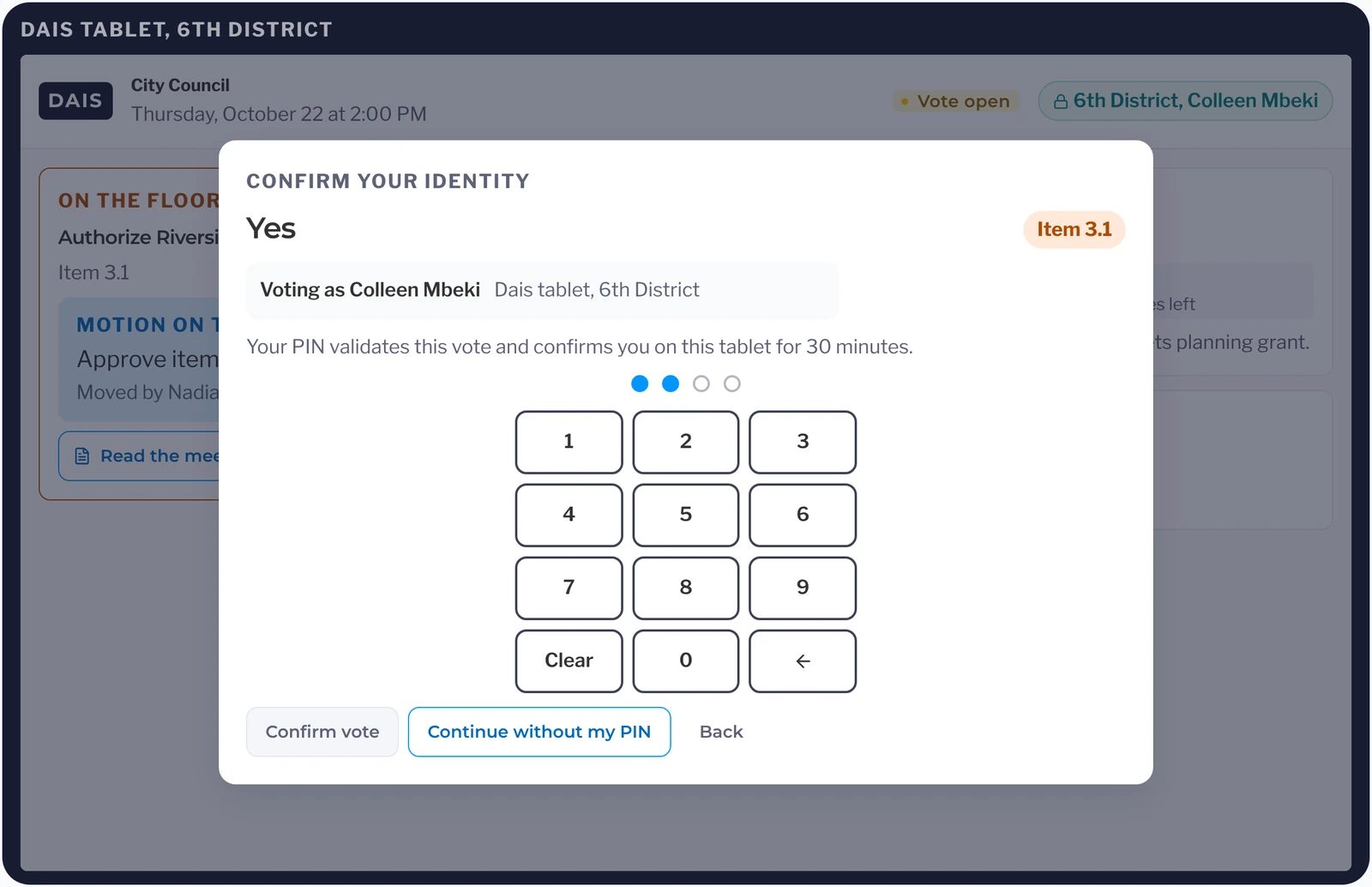
Live Voting
Record roll call votes without having to call names one by one.
Live Voting streamlines roll call by capturing motions, allowing members to cast votes directly, and displaying results on the meeting board once voting closes. Your staff can focus on facilitating the meeting while votes are tallied for them.
Learn moreInterpretation
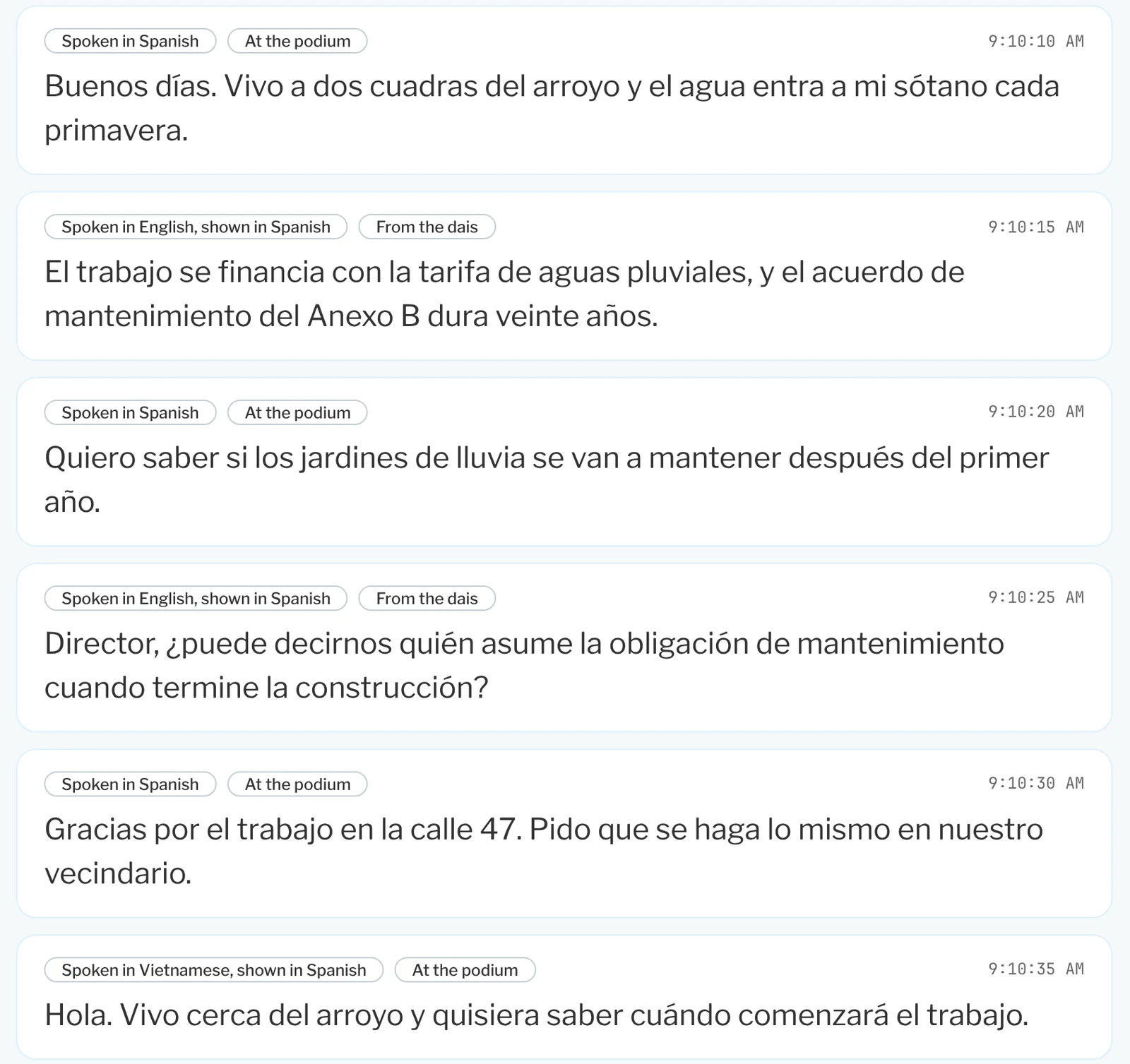
Bring language access to every meeting.
Provide real-time interpretation across 130+ languages without the logistics of scheduling.
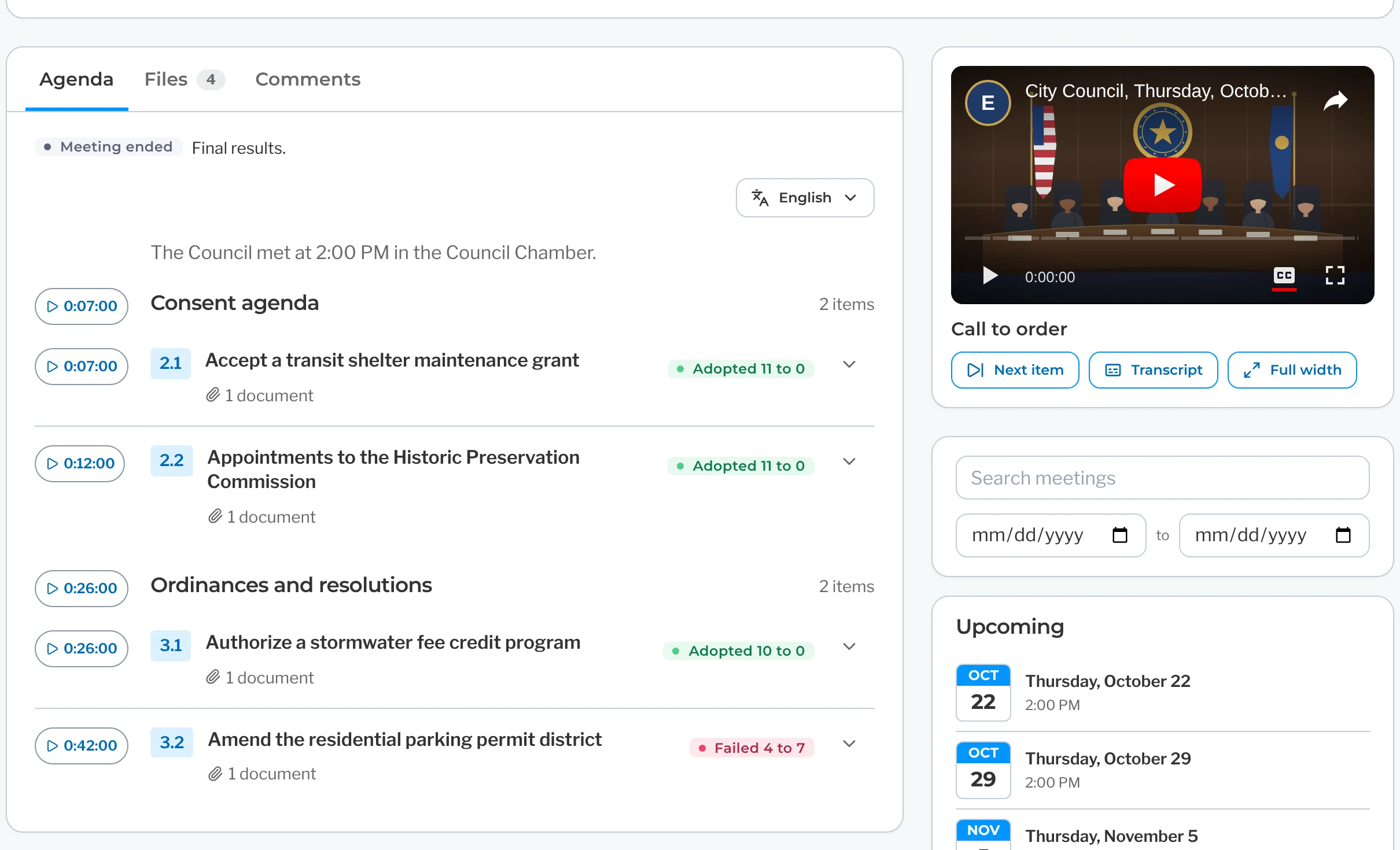
Learn moreBroadcasting and Video Archive
Locate meeting recordings by agenda item.
Broadcast meetings online and make recordings easy to revisit. Each recording is linked to its agenda item, so residents can jump straight to the topics they choose without having to scrub through the full meeting.
Learn more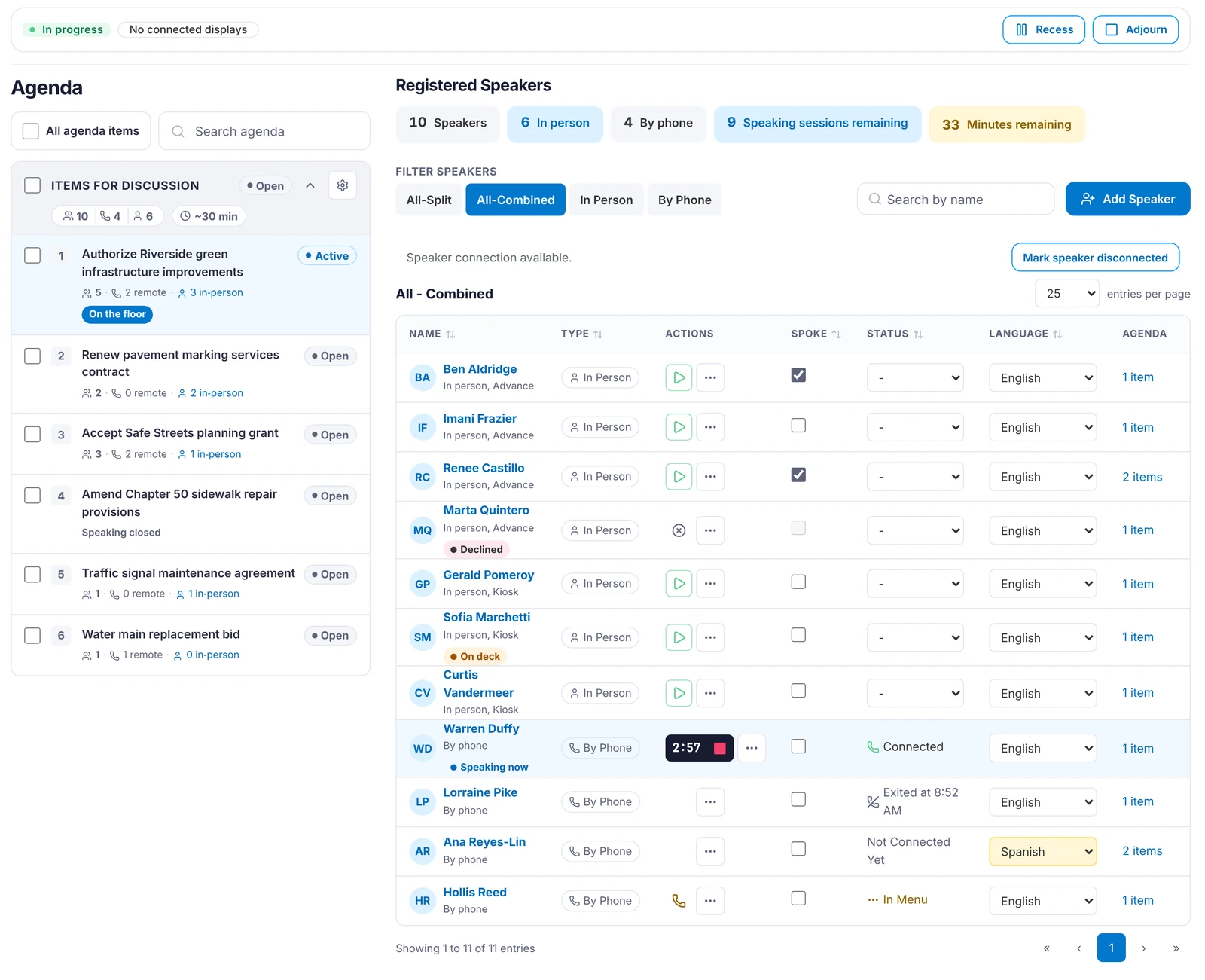
Public comments on agenda items and PublicInput Action Minutes are included in every package.Review Packages
For administrators and leadership
One complete system to manage instead of four or five
Keep your meeting operations running smoothly with a coordinated workflow for agendas, meetings, board appointments, and minutes. Give council members timely access to meeting packets and help staff prepare minutes for review and approval more efficiently.
The behind-the-scenes work
Fits your systems. Keep your records safe and compliant. Set up handled for you.
Integrations? Already Handled.
Connect with the tools your agency already uses. PublicInput Meetings is built for easy data sharing with support from our implementation team every step of the way.
Book A DemoSecure, Compliant & Built for Government
We take compliance, privacy, and accessibility seriously. PublicInput Meetings meets or exceeds standards for:
- ADA Accessibility Compliance (WCAG 2.1)
- State open meetings law requirements (Brown Act, Indiana Open Door Law, and more)
- SOC 2 Type II Certified
- U.S. Cloud Hosting with Scalable Infrastructure
- Role-Based Permissions for Staff, Elected Officials, and the Public
SaaS = Fast Setup, Fewer Headaches
PublicInput Meetings is software-as-a-service. That means:
- No complex installs or IT headaches
- Fast onboarding with real staff training and console walkthroughs
- Automatic updates, no extra cost
- Starter templates for common public meeting types
- SLA and support plans to fit municipal IT requirements
What our clients say
Hear from the agencies we work with
Part of the PublicInput platform
Go beyond the meeting with community engagement
PublicInput Meetings runs on the same platform agencies use for surveys, project pages, email and text outreach, and public comment.
Explore the Engagement Platform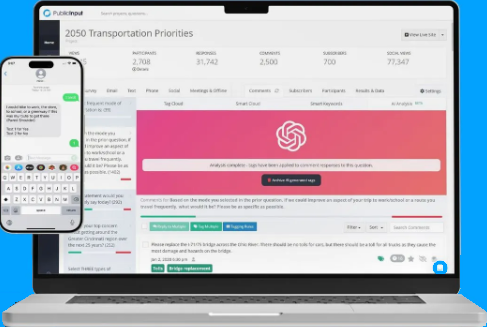
Meetings products
Explore the PublicInput Meetings suite
Each product works on its own or together, so you can start with what you need and add more when you’re ready.
Questions clerks ask us
Can we bring our old agendas and minutes with us?
Yes. Your agendas, packets, minutes and videos come into PublicInput as records you can search on day one, whether you’re coming from Legistar, IQM2, NovusAGENDA, PrimeGov or Municode Meetings. You check the record counts before go-live, and setup plus migration typically takes only a few weeks. See how switching works
Can we start with just agendas?
Yes. Agendas, Live Meetings and Boards and Commissions each work on their own, and you can add the next one when you’re ready. Public comments and PublicInput Action Minutes come with every package. See packages
We run hybrid meetings on Zoom. Does this replace that?
You keep Zoom or whatever you stream on. Remote speakers sign up on the item and show up on the same list as the people in the room, and you call the next name from that one list. See how hybrid meetings run
What about the ADA deadline for our website?
Every attachment gets an accessible version when you publish, and the public agenda pages meet WCAG 2.1 AA. The ADA Title II web rule applies on April 26, 2027 for governments of 50,000 or more and April 26, 2028 for smaller governments and special districts.
Our boards and commissions each do their own thing. Can they?
Yes. Each board gets its own calendar, agendas, speakers and minutes, with your organization’s settings carried over. The clerk sees all of them on one screen, and you can start with boards alone. See Boards and Commissions
Make Every Public Meeting Easier to Run.
- Start with a free 30-minute consultation with a meetings specialist to review how you build agendas, run meetings and publish minutes today.
- See a Tailored Demo built around your own boards, agendas and meeting calendar.
- Get a Personalized Plan with a timeline for setup, training and moving your past agendas and minutes over.
Schedule your free 30-minute consultation today and see how PublicInput Meetings can help your team prepare agendas faster, run meetings smoothly and get minutes out sooner.